
Mobile and tablet view includes Cover and Bookshelf embeds. For the full experience with all embed types, switch to desktop view.
Visual Guide
to FlippingBook Embeds
to FlippingBook Embeds
Explore a variety of embeds designed to improve client presentations and support content goals.
This guide covers our main embed formats, including classic full size display, cover previews, bookshelf layouts, and options with different sizes and privacy settings. You'll find key features and real use cases to match any presentation style.
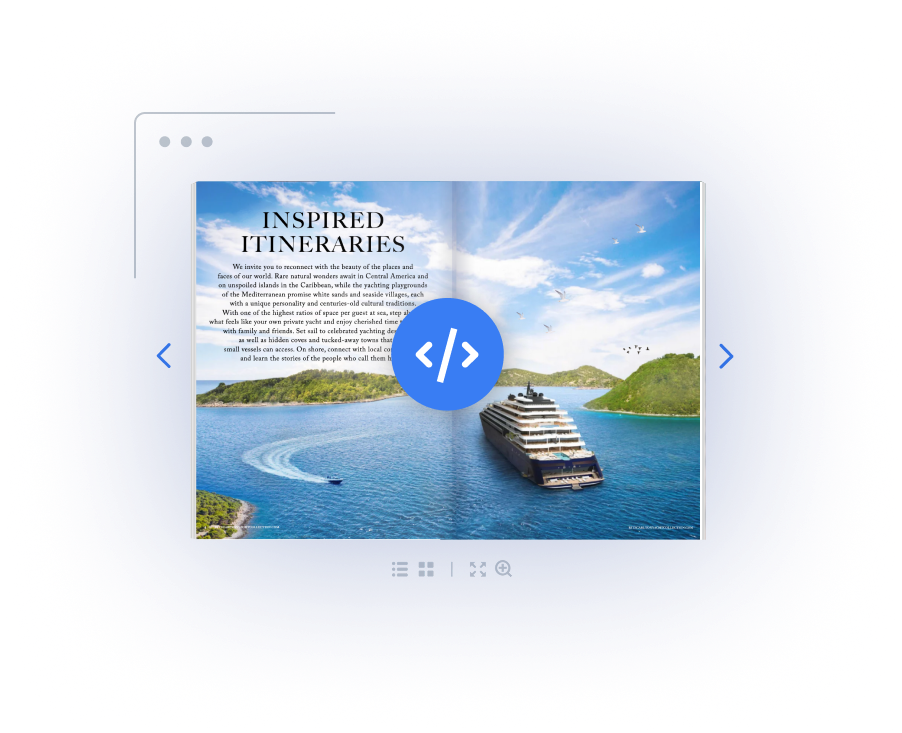

Classic embed

With the classic embed, the full flipbook appears right on the page. Visitors can read and interact with it without opening a new tab or navigating away from the page.

KEY FEATURES:
- Fully visible and interactive on the website.
- Built-in navigation, zoom, fullscreen, and sharing.
- Keeps attention on the content without redirects.
USE CASES:
- Catalogs and brochures on landing pages.
- Flipbooks on blog or product websites.
- Reports and guides added to intranet.
Simplified embed
A flipbook embed can be simplified to better match a website’s design. This includes removing the background image, setting a custom background color, and hiding the logo or selected elements in the bottom panel.


KEY FEATURES:
- Option to hide bottom panel and interface elements.
- Keeps core features like flipping and fullscreen.
- Works well for clean, focused layouts.
USE CASES:
- Catalogs and brochures on minimalist websites.
- Flipbooks in client portals or presentations.
- Lookbooks and portfolios with a focus on visuals.

Cover preview
This format displays only the cover of flipbooks on the page. When clicked, the full document opens either in a pop-up viewer or a new browser tab, depending on the settings. It’s a simple way to offer full access in a compact format.
Cover preview
This format displays only the cover of flipbooks on the page. When clicked, the full document opens either in a pop-up viewer or a new browser tab, depending on the settings. It’s a simple way to offer full access in a compact format.
KEY FEATURES:
- Shows only the flipbook cover as a static image.
- Opens in a pop-up or new tab, depending on settings.
- Space-saving layout with full content access.
USE CASES:
- Compact presentation of catalog series on a website.
- Resources in downloadable sections or press kits.
- Minimal display for multiple documents.
KEY FEATURES:
- Shows only the flipbook cover as a static image.
- Opens in a pop-up or new tab, depending on settings.
- Space-saving layout with full content access.
USE CASES:
- Compact presentation of catalog series on a website.
- Resources in downloadable sections or press kits.
- Minimal display for multiple documents.
Transparent embed
Transparent embed removes the background and displays the flipbook with a minimal interface. It blends naturally into the page design and is best for content that don’t require navigation panels
or extra tools.
or extra tools.
KEY FEATURES:
- Hides background, sidebars, and panels.
- Disables notes, sound, and preload animation.
- Supports auto flip for passive viewing.
USE CASES:
- Flipbooks on art gallery or museum websites.
- Displays on screens at events or exhibitions.
- Presentations in public or branded spaces.

Small preview embed
This embed displays a compact version of the flipbook, ideal when space on the page is limited. Readers can still flip through the pages directly in the preview, while the rest of the interface is hidden. When needed, the full viewer can be opened for detailed reading.
KEY FEATURES:
- Smaller flipbook preview on the page.
- Basic interaction like page flipping.
- Hides menu and interface elements.
USE CASES:
- Compact flipbook previews in blog posts.
- Flipbooks placed in footers or side panels.
- Embedded flipbooks in FAQs or help articles.
Protected embed
Protected embed lets you display the flipbook only on your website.
If someone opens the direct link, they’ll see that the flipbook can’t be accessed. This helps control access, ensure privacy, and protect intellectual property and sensitive content.
If someone opens the direct link, they’ll see that the flipbook can’t be accessed. This helps control access, ensure privacy, and protect intellectual property and sensitive content.

KEY FEATURES:
- Viewable only on approved domains.
- Direct links outside the page are blocked.
- Sharing, printing, and downloads can be disabled.
USE CASES:
- Docs on company intranets or private platforms.
- Product materials in customer-only portals.
- Ebooks and reports for paid or registered users.
Bookshelf embed
The Bookshelf embed displays multiple flipbooks in one organized view. Each is shown as a clickable cover, so readers can open any flipbook directly from the shelf. It’s a great way to group documents in a single, visually structured space.
Bookshelf embed
The Bookshelf embed displays multiple flipbooks in one organized view. Each is shown as a clickable cover, so readers can open any flipbook directly from the shelf. It’s a great way to group documents in a single, visually structured space.
KEY FEATURES:
- Multiple flipbooks shown as clickable covers.
- Customizable background, colors, and logo.
- Return navigation from flipbook to shelf.
USE CASES:
- Resource hubs organize multiple content in one place.
- Training and onboarding portals with internal docs.
- Public educational and government content.
KEY FEATURES:
- Multiple flipbooks shown as clickable covers.
- Customizable background, colors, and logo.
- Return navigation from flipbook to shelf.
USE CASES:
- Resource hubs organize multiple content in one place.
- Training and onboarding portals with internal docs.
- Public educational and government content.

Give FlippingBook a try or book a demo to see how it can fit your needs
Give FlippingBook a try or book
a demo to see how it can fit
your needs
a demo to see how it can fit
your needs